How to Choose a Baby Monitor: What Actually Matters
Disclosure: BabyNerd earns a small commission when you purchase through our affiliate links. You never pay extra. Read our full disclosure.
Baby monitors have more features than most laptops now. WiFi connectivity, AI sleep tracking, breathing detection, 1080p night vision, the spec sheets read like consumer electronics, not nursery gear. And somehow you’re supposed to figure out which features are worth paying for while running on four hours of sleep.
This guide on how to choose a baby monitor strips it down to what actually matters. No product recommendations here, just the features, the trade-offs, and the questions you should answer before you buy.
The 9 Baby Monitor Features That Actually Matter
1. Video vs. Audio-Only
The first fork in the road. Video monitors let you see your baby; audio-only monitors let you hear them. Simple enough.
Video monitors dominate the market as of March 2026. According to industry data, audio-only monitors now represent a small and shrinking share of baby monitor sales. The shift makes sense. being able to glance at a screen and see that your baby is sleeping peacefully (instead of lying awake wondering) is genuinely reassuring.
What to look for:
- Video monitors give you visual confirmation without opening the nursery door. They range from basic cameras with small handheld screens to WiFi-connected systems with smartphone apps. Most parents buying a monitor today choose video.
- Audio-only monitors are simpler, cheaper, and have fewer things that can break or need updating. They also have no screen to drain battery. If your nursery is next to your bedroom and you mostly need to hear crying, audio-only still works fine.
The trade-off is cost and complexity. Video monitors start at roughly twice the price of audio-only, require more setup, and introduce questions about WiFi, resolution, and camera placement that audio monitors skip entirely.
2. WiFi vs. Non-WiFi (Dedicated Frequency)
This is the single biggest decision in the entire buying process. It affects privacy, reliability, range, price, and what you can do with the monitor. Everything else is secondary.
WiFi monitors (like Nanit, Owlet Cam, Miku) connect to your home WiFi network and stream video to a smartphone app. You can watch your baby from anywhere: the office, the grocery store, a different state. They typically offer smart features like sleep tracking, cry detection, and shareable access for multiple caregivers.
Non-WiFi monitors (like Infant Optics, Eufy SpaceView, VTech) use dedicated radio frequencies, usually FHSS (Frequency-Hopping Spread Spectrum), to communicate directly between the camera and a parent unit. No internet required. No app. No account.
The security consideration is real. WiFi baby monitors are IoT (Internet of Things) devices, and IoT devices are targets. The FBI has published guidance warning consumers that IoT devices can be exploited if not properly secured (FBI PSA, 2019). The FTC has taken enforcement actions against IoT device manufacturers for inadequate security practices (FTC IoT guidance). There have been documented cases of WiFi baby monitors being accessed by unauthorized users.
Non-WiFi monitors using FHSS have no internet connection to exploit. The signal is encrypted and hops between frequencies, making interception extremely difficult. There are essentially zero documented cases of FHSS baby monitors being “hacked.”
What to look for:
| Factor | WiFi Monitor | Non-WiFi (Dedicated Frequency) |
|---|---|---|
| Remote viewing | Yes, anywhere with internet | No, parent unit range only |
| Internet required | Yes | No |
| Hacking/security risk | Yes, IoT vulnerability | Essentially none |
| Smart features | Sleep tracking, AI analytics, app alerts | Basic alerts (sound/motion) |
| Setup complexity | Higher, app, account, WiFi config | Lower, plug in and pair |
| Ongoing costs | Some require subscriptions for full features | None |
| Reliability | Depends on WiFi stability | Independent, works during outages |
If your WiFi drops frequently, a WiFi monitor drops with it. Non-WiFi monitors keep working during internet outages. That’s worth considering if your home network isn’t rock-solid.
3. Camera Resolution and Night Vision
You’ll be using this camera mostly in the dark. Resolution matters, but night vision quality matters more.
Resolution: As of March 2026, 1080p (Full HD) is the standard for mid-range and premium monitors. Budget models may still use 720p. A few newer models are pushing 2K. For a baby monitor, where you’re watching a crib from a few feet away, 1080p is plenty. You don’t need cinematic quality to see whether your baby is on their back or their stomach.
Night vision: This is where monitors differ more than their spec sheets suggest.
- Infrared (IR) night vision is the most common type. The camera emits infrared light (invisible to humans) and captures a grayscale image. Quality ranges from grainy to surprisingly clear. Most monitors use this.
- Ambient light sensors (used in some premium models) adapt to low-light conditions without switching to full IR mode. This can produce slightly more natural-looking images in dim rooms.
What to look for: Don’t trust spec sheets alone for night vision quality. Night vision performance depends on the sensor, the IR LEDs, and the processing, none of which show up as a single spec. Parent reviews are your friend here. Look for comments specifically about image clarity at night, since that’s when you’ll use the monitor most.
4. Range
Range works completely differently depending on whether you choose WiFi or non-WiFi.
Non-WiFi monitors have a fixed range, typically advertised as 700 to 1,000 feet. That number is measured in open-field conditions with no obstacles. In a real house with walls, floors, appliances, and furniture, expect roughly 30-50% of the advertised range. A monitor rated for 1,000 feet in open field might realistically work up to about 300-500 feet through walls. Concrete, brick, and metal reduce range more than drywall.
WiFi monitors work anywhere you have an internet connection. across the house, across town, or across the country. The camera just needs your home WiFi signal, which is its own potential limitation. If the nursery is far from your router or separated by thick walls, you may need a WiFi extender or mesh system.
What to look for: If you have a large house and want a non-WiFi monitor, pay attention to range specs, and mentally cut the number in half for real-world use. If you’re in an apartment, range is unlikely to be an issue for either type.
5. Battery Life
Battery life matters differently depending on your monitor type.
Non-WiFi monitors come with a dedicated parent unit: a small handheld screen you carry around the house. Battery life on these units typically ranges from 8 to 12 hours with the screen on. Most offer an audio-only mode or a VOX mode (screen activates only when sound is detected), which can extend battery life significantly. If you forget to charge it, you’re walking back to the base station.
WiFi monitors use your phone as the parent unit. No separate battery to worry about, but baby monitor apps do consume battery and data. Running a video stream in the background will drain your phone faster. If your phone is already struggling to make it through a day, adding a live baby cam feed won’t help.
What to look for: For non-WiFi monitors, check battery life with the screen on (not just in standby). Eight hours is the minimum you want for overnight use. Some parents keep the unit plugged in at night and use battery mode during the day, so charging speed matters too.
6. Breathing and Movement Monitoring
This is where marketing gets ahead of reality, and the distinction matters.
Several products track infant breathing and movement: the Owlet Dream Sock (worn on the baby’s foot), Nanit Breathing Wear (a special outfit the baby wears under the camera), and the Sense-U clip (attaches to clothing). These products detect breathing patterns and movement and alert parents to irregularities.
These are wellness products, not medical devices. This is not a marketing nuance. it’s a regulatory classification.
In October 2023, the FDA sent warning letters to several companies marketing pulse oximetry-based baby monitors, clarifying that products making medical claims. such as detecting or preventing conditions like SIDS or sleep apnea. are medical devices subject to FDA regulation (FDA Safety Communication, October 2023). The FDA subsequently created a regulatory pathway for certain infant health monitoring devices, but the core message remains: consumer-grade baby monitors are not substitutes for medical monitoring equipment.
The American Academy of Pediatrics (AAP) does not recommend home cardiorespiratory monitors as a strategy to reduce the risk of SIDS for healthy infants (AAP Safe Sleep Guidelines, 2022).
What to look for: If breathing/movement data gives you peace of mind, these products can provide useful information. But go in with clear expectations:
- They track trends and patterns. they don’t diagnose conditions.
- False alarms happen. Multiple parent reviews across platforms mention being woken by alerts when the baby was fine.
- They supplement safe sleep practices (back sleeping, firm mattress, no loose bedding). they don’t replace them.
- Some of these products involve ongoing costs (replacement socks as the baby grows, subscription fees for full data access).
7. Two-Way Audio
Two-way audio (also called “talk-back”) lets you speak through the monitor so your baby can hear your voice from the camera’s speaker. Most video monitors, both WiFi and non-WiFi, include this feature as of March 2026.
What to look for: The feature itself is nearly universal. The quality is not. Tinny, delayed, or too-loud audio can startle a baby rather than soothe them. Parent reviews are the best source for real-world audio quality impressions.
How useful this is depends on your baby and your approach. Some parents find that hearing a familiar voice through the speaker settles a fussy baby without a trip to the nursery. Others find the disembodied voice confuses or further wakes the baby. There’s no right answer; it’s a per-kid thing.
8. Temperature and Humidity Sensor
Many monitors include a built-in sensor that displays the nursery’s temperature and, sometimes, humidity level. This is a nice-to-have, not a deal-breaker.
The AAP recommends keeping the room at a comfortable temperature and dressing the infant in no more than one layer more than an adult would wear (AAP Safe Sleep Guidelines, 2022). Many pediatric sources cite a range of approximately 68-72 degrees Fahrenheit as a comfortable room temperature for infant sleep.
What to look for: A built-in temperature display is convenient; you can check the nursery conditions without getting up. But a separate room thermometer costs a few dollars and does the same thing. Don’t pay a premium for a monitor solely because it includes a temperature sensor.
9. Smart Features: Sleep Tracking, Cry Detection, and Lullabies
WiFi monitors increasingly come with AI-powered analytics. These features vary widely in what they offer and what they cost.
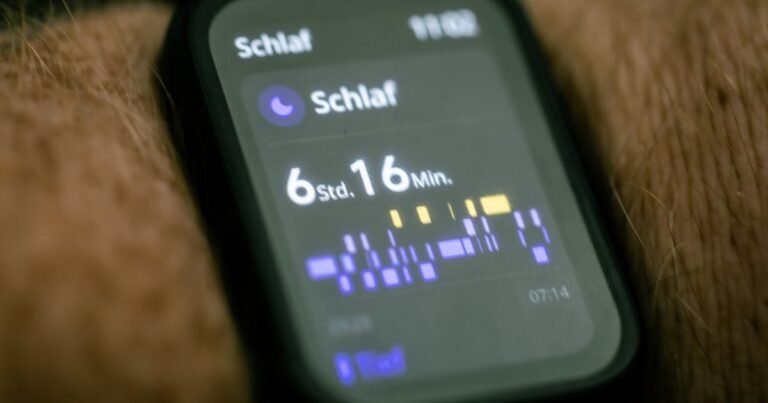
Sleep tracking: Monitors like Nanit and Miku use camera-based analysis to track sleep duration, sleep quality, and wake times. This data appears in the companion app, often with trends over days and weeks. It’s interesting information for data-oriented parents. It is not necessary for safe sleep.
Cry detection: Some monitors distinguish between types of crying and send alerts only when they detect actual crying (versus background noise). Useful if you want filtered notifications instead of constant alerts.
Lullabies and white noise: Many monitors include built-in sound machines with lullabies or white noise options. Quality and volume control vary.
The subscription question: This is the part that catches some parents off guard. Several WiFi monitors (Nanit is the most notable example) offer premium analytics features behind a subscription paywall. The camera works without a subscription, but features like extended sleep history, tips, and milestones require a monthly or annual plan. Owlet similarly gates some data features behind premium tiers.
What to look for: Before buying a smart monitor, check exactly which features are free and which require a subscription. Calculate the total cost of ownership over a year or two; the subscription fees can add up to a significant amount on top of the initial hardware purchase. Non-WiFi monitors have no subscriptions and no recurring costs.
What You Can Probably Ignore
Pan/Tilt/Zoom (PTZ) on the camera
PTZ sounds useful: remotely adjust the camera angle to follow your baby around the crib. In practice, babies sleep in cribs. Cribs are small. A well-placed wide-angle camera captures the entire crib without needing to pan or tilt. PTZ adds mechanical parts (which can fail or make noise) and cost. Unless you plan to use the camera to monitor an older toddler in a full room, a fixed wide-angle lens is sufficient for most nursery setups.
Lullaby libraries
Most monitors include a handful of lullabies or nature sounds. Most parents use a separate white noise machine, which is louder, more reliable, and runs all night without tying up the monitor’s speaker. Built-in lullabies are a nice extra, not a feature worth paying for.
Multiple camera support
Many monitors advertise the ability to connect 2-4 cameras. This matters if you have multiple children in separate rooms and want one parent unit to switch between feeds. If you have one baby in one room, you need one camera. Don’t pay more for expandability you may never use.
Questions to Ask Yourself Before Buying a Baby Monitor
- Do you want to monitor from anywhere, or just around the house? This is the WiFi vs. non-WiFi decision. If you need to check the nursery from work or while traveling, you need WiFi. If you’ll always be within a few hundred feet, non-WiFi is simpler and more secure. See our WiFi baby monitor comparison or non-WiFi monitor comparison for specifics.
- Is network security a major concern for your household? If you’re uncomfortable with a camera connected to the internet in your baby’s room, non-WiFi eliminates that concern entirely.
- Do you want breathing and movement data, or just audio and video? Breathing/movement adds cost and complexity. It also may add peace of mind, as long as you understand the limitations (wellness data, not medical data).
- Are you willing to pay subscription fees for smart features? Some WiFi monitor features require monthly payments. If you want ongoing sleep analytics, factor that recurring cost in. If you’d rather pay once and be done, lean toward non-WiFi or a WiFi monitor without subscription requirements.
- How tech-savvy are you? WiFi monitors require app setup, firmware updates, WiFi troubleshooting, and account management. Non-WiFi monitors plug in and pair. Neither is difficult, but they’re different levels of involvement.
Common Mistakes to Avoid
Buying a WiFi monitor without reliable home WiFi
A WiFi monitor is only as good as your network. If your WiFi drops regularly, buffers video, or doesn’t reach the nursery well, the monitor will be frustrating. Before buying a WiFi monitor, test your WiFi signal strength in the nursery. If it’s weak, you may need a mesh WiFi system or extender, which adds to the total cost.
Expecting a wellness monitor to function as a medical device
The Owlet sock, Nanit breathing wear, and similar products track breathing patterns and movement. They do not diagnose medical conditions, and the FDA has specifically warned against relying on consumer products to prevent SIDS or sleep apnea. Follow the AAP’s safe sleep guidelines regardless of what monitor you use.
Not checking whether smart features require a paid subscription
Some monitors advertise features like detailed sleep analytics, extended video history, and milestone tracking, but those features sit behind a monthly paywall. The camera works without the subscription, but you may not get the features that attracted you in the first place. Read the fine print on free vs. premium features before buying.
Ignoring parent unit battery life for non-WiFi monitors
If you choose a non-WiFi monitor, the parent unit’s battery life directly affects your experience. A unit that dies at 3 AM means plugging it in next to your bed (tethered to an outlet) or missing alerts. Look for at least 8 hours of battery with the screen on, and check how long it takes to recharge.
How to Choose a Baby Monitor: A Quick Decision Framework
Still not sure where to start? Run through this:
- If you want simplicity and privacy: Look at non-WiFi video monitors with a dedicated parent unit. No internet, no app, no hacking risk. The Eufy and Infant Optics lines are popular in this category.
- If you want remote access and smart features: Look at WiFi monitors with smartphone apps. Expect higher upfront cost and check for subscription fees. Nanit, Owlet, and Miku are well-known in this space.
- If you want breathing/movement data: This narrows your options to specific products (Owlet, Nanit with Breathing Wear, Sense-U). Understand the FDA and AAP position on these devices before buying.
- If you’re on a tight budget: Audio-only monitors still work. A basic video monitor with a dedicated parent unit (no WiFi) is the next step up without subscription costs.
Ready to Compare Specific Baby Monitors?
Now that you know what features matter, here are our side-by-side spec comparisons:
- Nanit Pro vs. Owlet Dream Duo: WiFi Monitor Specs Compared
- Eufy SpaceView Pro vs. Infant Optics DXR-8 Pro: Non-WiFi Monitor Specs Compared
- Most Popular Baby Monitors in 2026: What Parents Are Choosing
Building your full registry? Check out our Baby Registry Checklist 2026 for a category-by-category guide to what you actually need.
More comparisons coming soon across all price ranges and monitor types.
FAQ
Are WiFi baby monitors safe from hackers?
No internet-connected device is completely immune to unauthorized access. WiFi baby monitors are IoT devices, and both the FBI and FTC have published guidance on securing IoT devices in the home. To reduce risk: use a strong, unique WiFi password; enable two-factor authentication on the monitor app if available; keep the camera’s firmware updated; and consider placing IoT devices on a separate network from your main devices. Non-WiFi monitors that use FHSS technology have no internet connection and are not vulnerable to remote hacking.
Do I need a baby monitor with breathing tracking?
That depends on your comfort level and expectations. Breathing/movement monitors (like the Owlet sock or Nanit Breathing Wear) can provide trend data and alert you to irregularities. However, the AAP does not recommend home cardiorespiratory monitoring as a SIDS prevention strategy for healthy infants. These are wellness products, not medical devices. They supplement, but don’t replace, safe sleep practices.
What’s the difference between FHSS and WiFi baby monitors?
FHSS (Frequency-Hopping Spread Spectrum) monitors use a dedicated encrypted radio signal that hops between frequencies, communicating directly between camera and parent unit without internet. WiFi monitors connect to your home network and stream to a smartphone app via the internet. The key differences: FHSS is more secure and works during internet outages but has limited range and no remote access. WiFi allows viewing from anywhere but depends on your network and has higher security considerations.
How far away does a non-WiFi baby monitor work?
Most non-WiFi monitors advertise a range of 700 to 1,000 feet. Those figures are measured in open-field conditions. Inside a home, walls, floors, and appliances reduce the effective range significantly, typically to about 30-50% of the advertised distance. For a monitor rated at 1,000 feet, expect reliable performance at around 300-500 feet through typical residential walls. Concrete, brick, and metal cause more signal reduction than drywall.
Do smart baby monitors require a subscription?
Some do. Nanit, for example, offers basic live monitoring for free but puts extended sleep history, tips, and some analytics behind a paid subscription plan. Owlet similarly tiers some features. Other WiFi monitors (like some Miku models) include full features without a subscription. Always check what’s free vs. premium before purchasing a smart monitor, and factor subscription costs into your total budget.
Is 720p or 1080p better for a baby monitor?
1080p (Full HD) is the current standard for mid-range and premium baby monitors as of March 2026. It provides noticeably sharper images than 720p, especially during night vision. That said, for the primary purpose of monitoring a baby in a crib, 720p is functional. If you’re choosing between two similar monitors and one offers 1080p, go with it, but 720p alone isn’t a reason to rule out an otherwise good non-WiFi monitor.
Can a baby monitor replace a sound machine?
Some monitors include lullaby or white noise features, but most parents find a dedicated sound machine works better. Sound machines are typically louder, have more sound options, run continuously all night, and don’t tie up your monitor’s speaker. If you already own a sound machine, the lullaby feature on your monitor is a nice backup, not a replacement.
What baby monitor features are worth paying more for?
That depends on your priorities. The features that parents report valuing most (based on review patterns across major retail platforms): reliable night vision, strong battery life on the parent unit, and stable connectivity (whether WiFi or FHSS). Smart features like sleep tracking and cry detection are useful for some parents but not necessary for safe monitoring. The single most impactful decision is WiFi vs. non-WiFi; everything else is secondary.
Feature information and product details current as of March 2026. Baby monitor technology and product lineups change frequently. check manufacturer websites for the latest specifications.